Create Evaluation form
To create an evaluation form:
- Step 1. Go to the Recruitment module in the left sidebar and select Settings menu

Step 2. Select Evaluation form menu -> Click New evaluation form button.
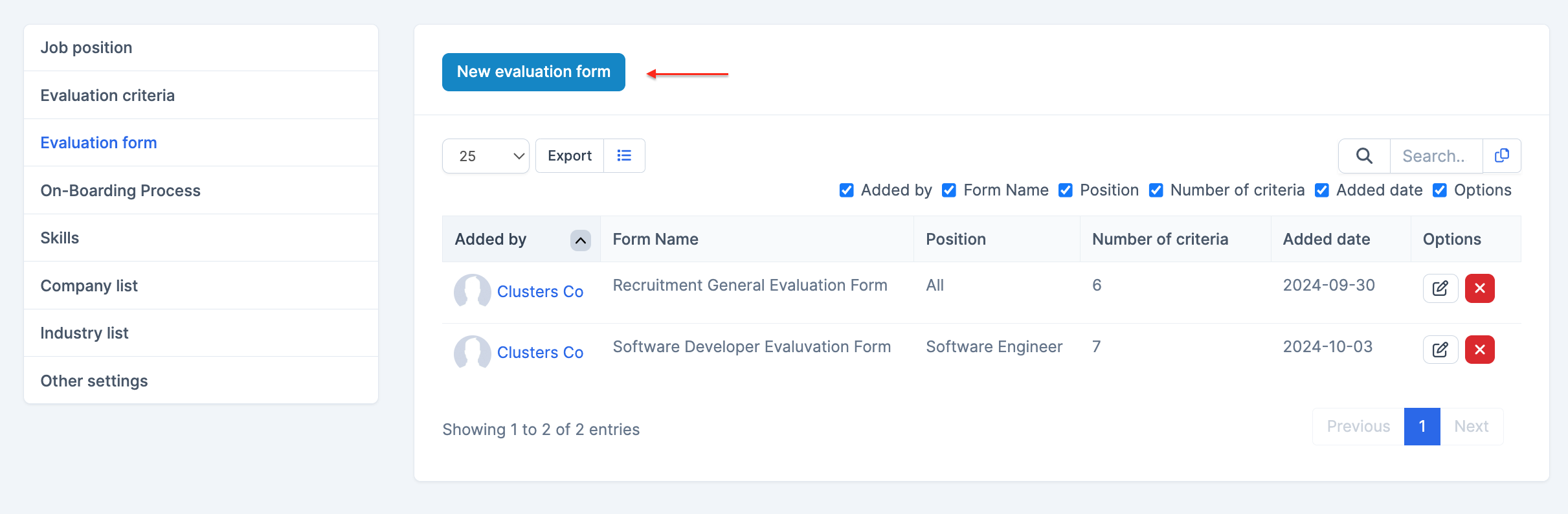
- Step 3. In the New evaluation form page, fill in the required details
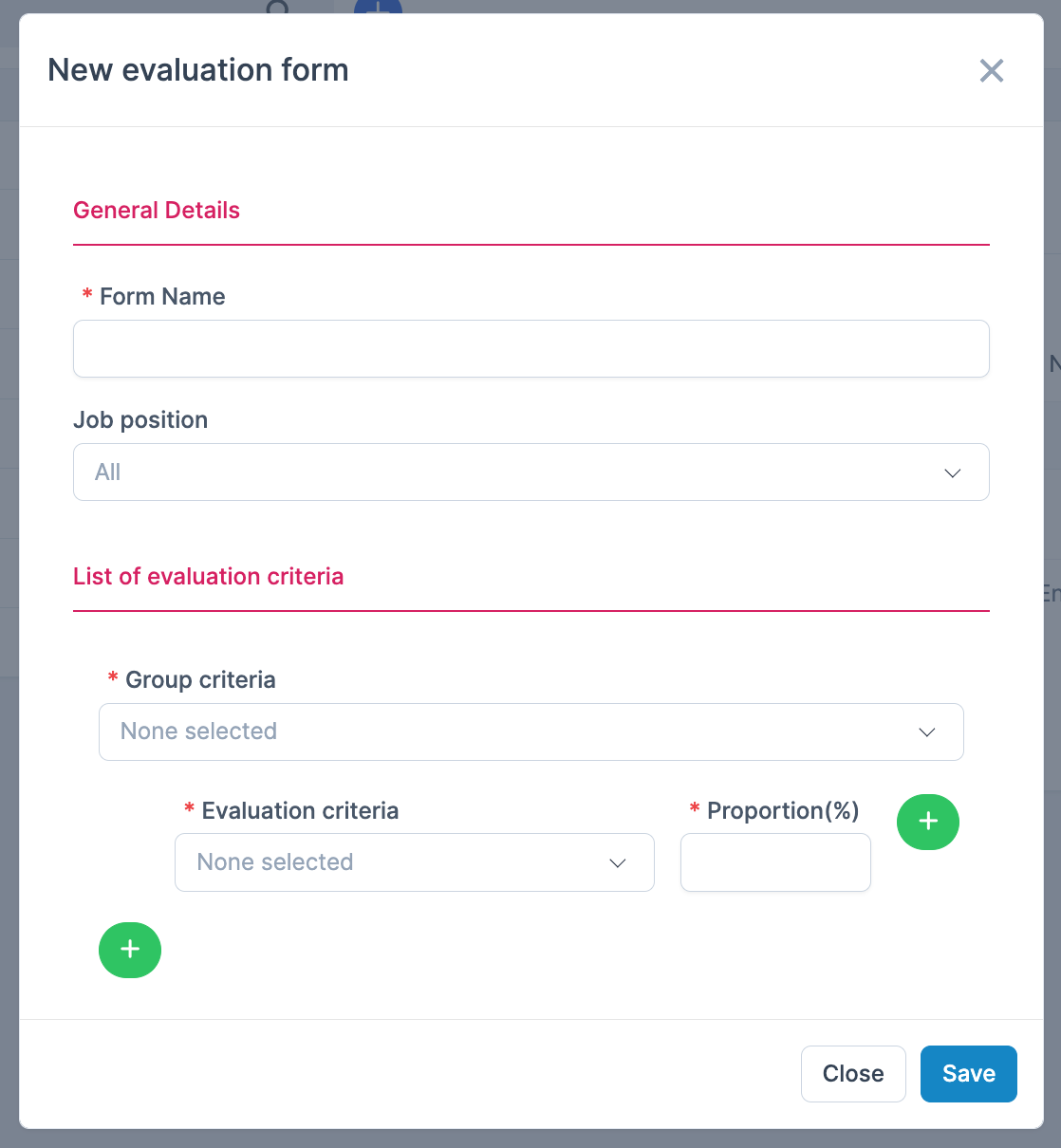
- 1. Enter the Form Name
2. Select the Job position
3. Select the Group criteria, Evaluation criteria, Proportion(%) - Step 4. Click Save button
Edit Evaluation Form
To edit the details of an evaluation form:
- Step 1. Go to the Recruitment module in the left sidebar and select Settings menu
- Step 2. Select the Evaluation form menu -> Select the evaluation form need to be edited and click Edit button

- Step 3. Make the necessary changes and click Save button
Delete Evaluation Form
- Step 1. Select the Evaluation form menu -> Select the evaluation form need to be deleted and click Delete button

- Step 2. Confirm your selection in the following pop-up. The evaluation form will be deleted.